
Nissan Rogue Warning Lights Guide
All things worth having need maintenance. So you look down to see a dash light on your Nissan Rogue but are unsure of what it means. Did you know Nissan’s warning lights are color-coded to show the severity of the issue? We reviewed the owner’s manual for you and pulled out the common red and yellow alerts and what they mean.
Red Warning Lights for Nissan Rogues


Brake warning light
Dashboard symbol looks like: the word “brake” or an exclamation point inside of a circle
This light functions for both the parking brake and the foot brake systems.
Low brake fluid warning light: When the ignition switch is placed in the ON position, the brake warning light illuminates, and then turns off. If the light illuminates while the engine is running with the parking brake not applied, stop the vehicle and perform the following:
1. Check the brake fluid level. If brake fluid is necessary, add fluid and have the system checked.
2. If the brake fluid level is correct, have the warning system checked.

Charge warning light
Dashboard symbol looks like: a rectangular car battery with a negative side and a positive side
When the ignition switch is in the ON position, the charge warning light illuminates and then turns off. If the light illuminates while the engine is running, it may indicate the charging system is not functioning properly. Turn the engine off and check the alternator or starter generator (if so equipped) belt. If the belt is loose, broken, missing or if the light remains on, have your vehicle serviced immediately. It is recommended you visit a NISSAN dealer for this service.
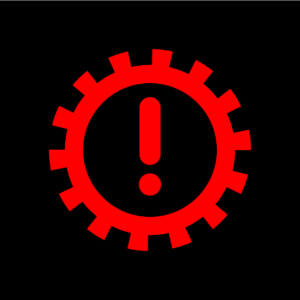
Electric shift control system warning light
Dashboard symbol looks like: an exclamation mark inside a gear circle
When the ignition switch is in the ON position, the electric shift control system warning light illuminates, and then turns off. This indicates the electric shift control system is operational. The electric shift control system warning light illuminates when a malfunction occurs in the electric shift control system. When the master warning light illuminates, the chime sounds and the following message is displayed in the vehicle information display: “When parked apply parking brake”. When the ignition switch is placed in the OFF position, the chime sounds continuously. Ensure the parking brake is applied. Have the system checked by a NISSAN dealer.
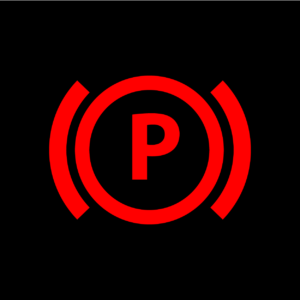
Electronic parking brake warning light
Dashboard symbol looks like: a “P” inside a circle
The electronic parking brake warning light indicates that the electronic parking brake system is operating.
When the ignition switch is placed in the ON position, the electronic parking brake warning light illuminates. When the engine is started and the parking brake is released, the warning light turns off. If the parking brake is not released, the electronic parking brake warning light remains on. Be sure that the electronic parking brake warning light has turned off before driving.
If the electronic parking brake warning light illuminates or flashes while the electronic parking brake system warning light illuminates, it may indicate that the electronic parking brake system is not functioning properly. Have the system checked, and if necessary repaired.

Engine oil pressure warning light
Dashboard symbol looks like: an oil container with a drop of oil
This light warns of low engine oil pressure. When the ignition switch is in the ON position, the engine oil pressure warning light illuminates. After starting the engine, the engine oil pressure warning light turns off. This indicates that the oil pressure sensors in the engine are operational. If the engine oil pressure warning light illuminates or blinks while the engine is running, it may indicate that the engine oil pressure is low. Stop the vehicle safely as soon as possible. Stop the engine immediately and call a NISSAN dealer.

Hands OFF warning light
Dashboard symbol looks like: hands on a steering wheel
When the Steering Assist is activated, it monitors the driver’s steering wheel operation. If the steering wheel is not operated or the driver takes his/her hands off the steering wheel for a period of time, the warning light illuminates. If the driver does not operate the steering wheel after the warning light has been illuminated, an audible alert sounds and the warning flashes in the vehicle information display, followed by a quick brake application to request the driver to take control of the vehicle again. If the driver remains unresponsive, the vehicle will automatically turn on the hazard lights and slow to a complete stop.

Master warning light
Dashboard symbol looks like: an exclamation point inside a triangle
When the ignition switch is in the ON position, the master warning light illuminates if a warning message appears in the vehicle information display.
Yellow Warning Lights for Nissan Rogues

Anti-lock braking system (ABS) warning light
Dashboard symbol looks like: the letter ABS inside a circle
When the ignition switch is in the ON position, the Anti-lock Braking System (ABS) warning light illuminates and then turns off. This indicates the ABS is operational. If the ABS warning light illuminates while the engine is running, or while driving, it may indicate the ABS is not functioning properly. Have the system checked. It is recommended you visit a NISSAN dealer for this service. If an ABS malfunction occurs, the antilock function is turned off. The brake system then operates normally, but without anti-lock assistance.

Automatic Emergency Braking (AEB) system warning light
Dashboard symbol looks like: two cars bumping fenders
When the ignition switch is in the ON position, the AEB system OFF warning light illuminates. After starting the engine, the warning light turns off. This light illuminates when the AEB with Pedestrian Detection system is set to OFF on the vehicle information display. If the light illuminates when the AEB with Pedestrian Detection system is ON, it may indicate that the system is unavailable.

Electric power steering warning light
Dashboard symbol looks like: a steering wheel next to an exclamation point
When the ignition switch is in the ON position, the electric power steering warning light illuminates. After starting the engine, the electric power steering warning light turns off. This indicates the electric power steering is operational. If the electric power steering warning light illuminates while the engine is running, it may indicate the electric power steering is not functioning properly and may need servicing. Have the system checked. It is recommended that you visit a NISSAN dealer for this service.
When the electric power steering warning light illuminates with the engine running, the power assist to the steering will cease operation but you will still have control of the vehicle. At this time, greater steering efforts are required to operate the steering wheel, especially in sharp turns and at low speeds.
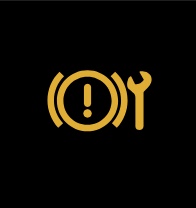
Electronic parking brake warning light (also red)
Dashboard symbol looks like: an exclamation inside a circle next to a wrench
When the ignition switch is in the ON position, the electronic parking brake system warning light illuminates and then turns off. The electronic parking brake system warning light functions for the electronic parking brake system. If the warning light illuminates, it may indicate that the electronic parking brake system is not functioning properly. Have the brake system checked, and, if necessary, repaired.

Low tire pressure warning light
Dashboard symbol looks like: an exclamation point inside a U-shape
The low tire pressure warning light warns of low tire pressure or indicates that the TPMS is not functioning properly. After the ignition switch is placed in the ON position, this light illuminates for about 1 second and turns off.
After the tire is inflated to the recommended pressure, the vehicle must be driven at speeds above 16 MPH (25 km/h) to activate the TPMS and turn off the low tire pressure warning light. Use a tire pressure gauge to check the tire pressure.

Malfunction indicator light (MIL)
Dashboard symbol looks: similar to a check engine light
If the malfunction indicator light comes on steady or blinks while the engine is running, it may indicate a potential emission control and/or Continuously Variable Transmission (CVT) malfunction. The malfunction indicator light may also illuminate steady if the vehicle runs out of fuel. Check to make sure that the vehicle has at least 3 US gallons (11.4 liters) of fuel in the fuel tank.
Operation: The malfunction indicator light will come on in one of two ways:
- Malfunction indicator light on steady — An emission control system and/or CVT malfunction has been detected. It is recommended you visit a NISSAN dealer for this service. You do not need to have your vehicle towed to the dealer.
- Malfunction indicator light blinking — An engine misfire has been detected which may damage the emission control system. To reduce or avoid emission control system damage: 1) Do not drive at speeds above 45 MPH (72 km/h). 2) Avoid hard acceleration or deceleration. 3) Avoid steep uphill grades. 4) If possible, reduce the amount of cargo being hauled or towed. The malfunction indicator light may stop blinking and remain on. Have the vehicle inspected. You do not need to have your vehicle towed to the dealer.
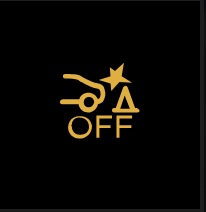
Rear Automatic Braking (RAB) system
Dashboard symbol looks like: a car backing into a traffic cone
This light comes on when the ignition switch is placed in the ON position. It turns off after the engine is started. This light illuminates or blinks when the RAB system is turned off in the vehicle information display with the shift position in R (Reverse). If the light illuminates or blinks when the RAB system is on, it may indicate that the system is unavailable.

Slip indicator light
Dashboard symbol looks like: a car swerving
When the ignition switch is in the ON position, the slip indicator light illuminates and then turns off.
The light will blink when the Vehicle Dynamic Control (VDC) system or the traction control system is operating, thus alerting the driver that the vehicle is nearing its traction limits. The road surface may be slippery.
If the light illuminates while the VDC system is on, this light alerts the driver to the fact that the VDC system’s fail-safe mode is operating, for example the VDC system may not be functioning properly. Have the system checked. It is recommended you visit a NISSAN dealer for this service. If a malfunction occurs in the system, the VDC system function will be canceled but the vehicle is still driveable.
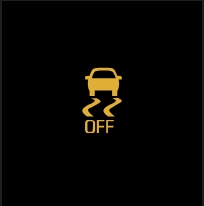
Vehicle Dynamic Control (VDC) OFF indicator light
Dashboard symbol looks like: a car swerving with the word “off” beneath
The light comes on when the VDC is turned OFF. This indicates that the VDC system and traction control system are not operating.
Turn the VDC on using the vehicle information display, or restart the engine and the system will operate normally.
The light also comes on when placing the ignition switch in the ON position. The light will turn off after about 2 seconds if the system is operational. If the light stays on or comes on along with the indicator light while you are driving, have the VDC system checked. It is recommended that you visit a NISSAN dealer for this service.
While the VDC system is operating, you might feel a slight vibration or hear the system working when starting the vehicle or accelerating, but this is not a malfunction.
If you don’t see the warning light you’re looking for, leave a comment below for us to add it!
Posted in: Nissan Rogue
Do you have a question or idea you would like to be featured in a blog post?
Fill out this simple form.
3 responses to “Nissan Rogue Warning Lights Guide”
Leave a Reply
Search Our Blog
Share This Post
Our RSS Feed
Dealership Info
Phone Numbers:
Main: (913) 400-4000
Sales: (913) 400-4000
Service: (913) 400-4000
Parts: (913) 400-4000
Sales Hours:
Mon, Tue, Wed, Thu 9:00 AM - 8:00 PM
Fri, Sat 9:00 AM - 6:00 PM
Sun Closed
Service & Parts Hours:
Mon - Fri 7:00 AM - 6:00 PM
Sat 8:00 AM - 3:00 PM
Sun Closed
I got the warning to cars facing each other while driving went away then back on
I have a tire symbol warning light on that does not show up in any of the warnings index, it is not the tire pressure indicator, it is a white in color symbol of the full tire with a white line underneath the tire symbol, I’ve looked through several warning light indexes and that symbol does not show up, can you please help me identify what it means
We recommend seeing a technician to be sure what the warning lights mean.
Tire Pressure System “Information” Icon
White = informational (not urgent)
Appears when:
You’re in the tire pressure screen
System is initializing or reading pressures
No action needed unless it turns yellow/red